Website requests now go into GoHighLevel with every field, and each stage your manager sets in GoHighLevel comes back to our CRM within 3 minutes — and from there to the ad tracking.
What we did
- Requests go into GoHighLevel directly, as a contact and an opportunity in your Leads pipeline, with every field. The old link dropped the email, zip code and number of TVs; now they arrive.
- Stages come back every 3 minutes. When your manager moves a lead in GoHighLevel — Contacted, Qualified, Booked, Completed, or marks it lost — our CRM copies it, and the step reaches the ad tracking.
- Our CRM now uses your GoHighLevel stages — the same pipeline, the same names — so nothing has to be translated.
- Older GoHighLevel leads can be imported as history, without counting them twice in the tracking.
- A daily check compares the two systems and raises an alarm if they ever disagree.
- GoHighLevel stays the place your manager works in; in our CRM those jobs are marked "Synced with GoHighLevel".
Website request ──▶ our CRM ──▶ GoHighLevel (all fields)
                                     │
                     manager works here: Contacted → Booked → Completed
                                     │ every 3 minutes
                                     ▼
                       our CRM copies the stage ──▶ ObserviX ──▶ ads learn
                                     │
                       daily check: both sides agree?
How it looks
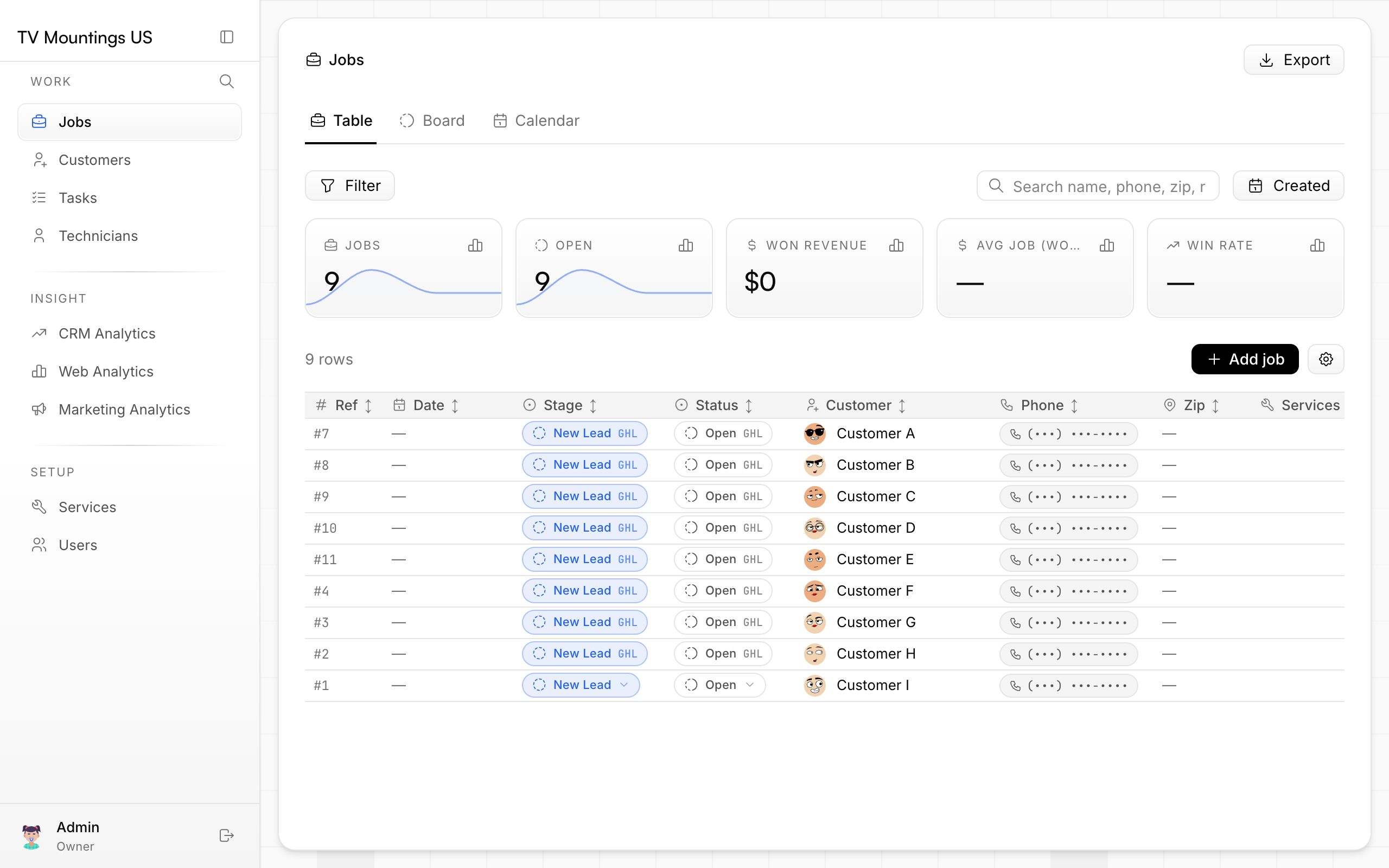
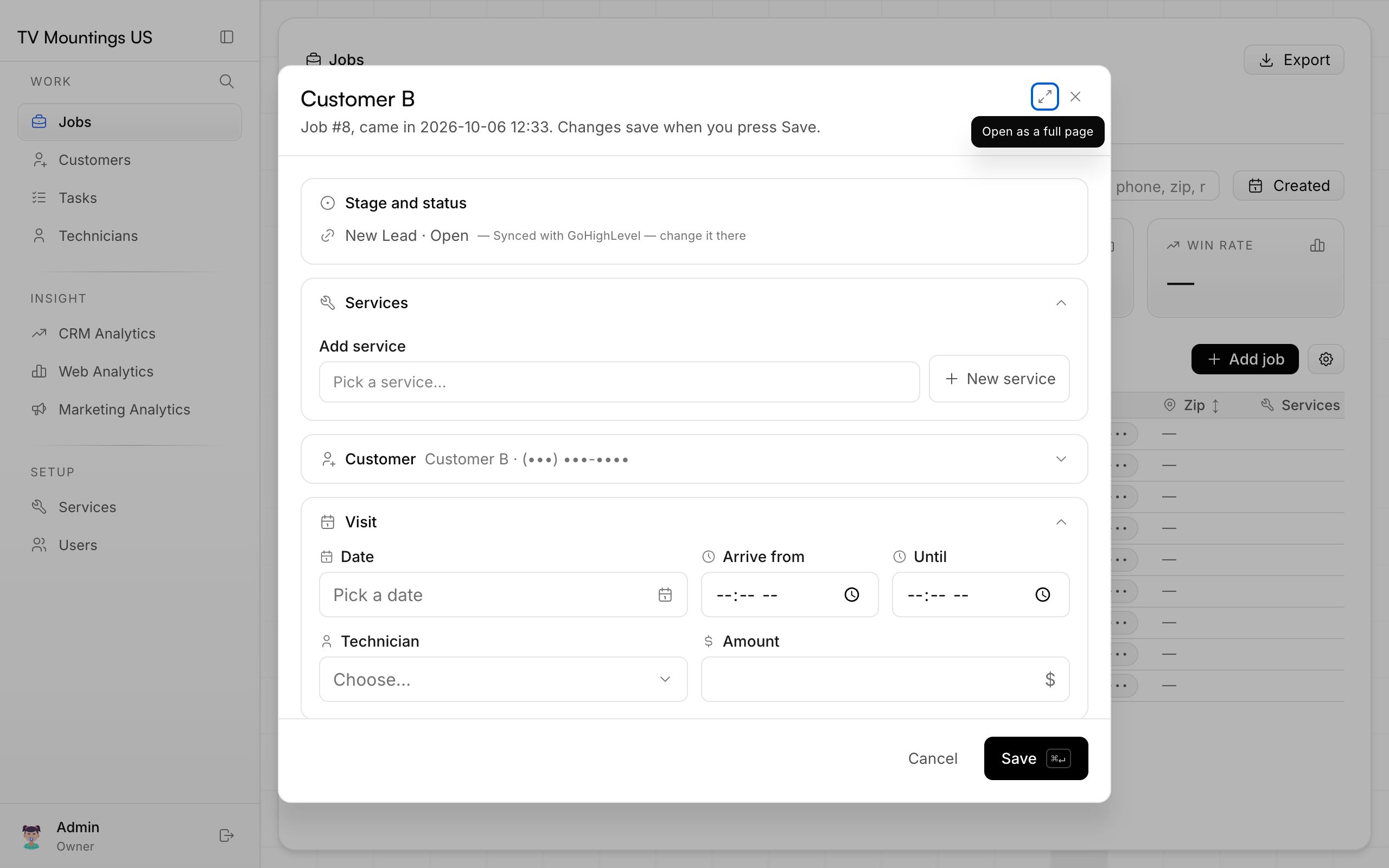
Customer names and phone numbers are hidden in these screenshots.
What is left
The import of older GoHighLevel leads and the first daily checks are being confirmed on your live data.