Customers have their own cards with every job they booked, and jobs are priced from your list of services instead of typed by hand.
What we did
- Customers: a card per customer with contact details, address, notes and all their jobs. You see who came back and how much they spent in total.
- Services: your price list — TV mounting by size, above a fireplace, hidden wires, soundbars and more — each with its own icon and colour. Prices are drafts until you send your price sheet.
- A job's price is the sum of its services. Pick the services, and the amount fills itself; you can still adjust the price for one job.
- Technicians: each with their jobs, revenue and their calendar link.
- Figures above every list: number of jobs, open jobs, revenue, average job, win rate. Tap any of them for a chart.
Services list               Job #32
 TV mounting 56–75"  $199 ──┐
 Hidden wires        $120 ──┼──▶ amount = $199 + $120 = $319
 Soundbar            $ 80   │
                            ▼
Customer card: all jobs · total spent · came back 3×
How it looks
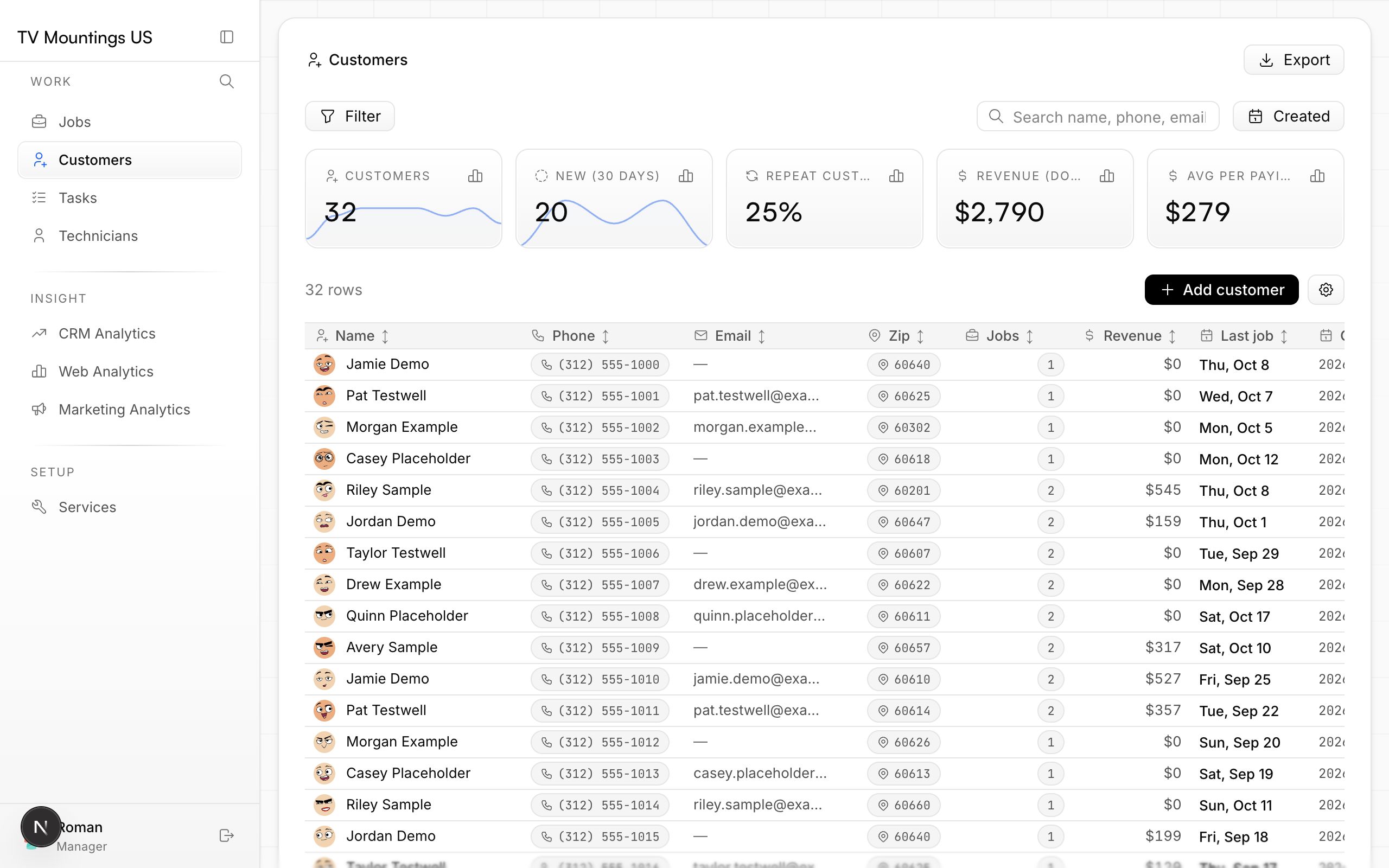
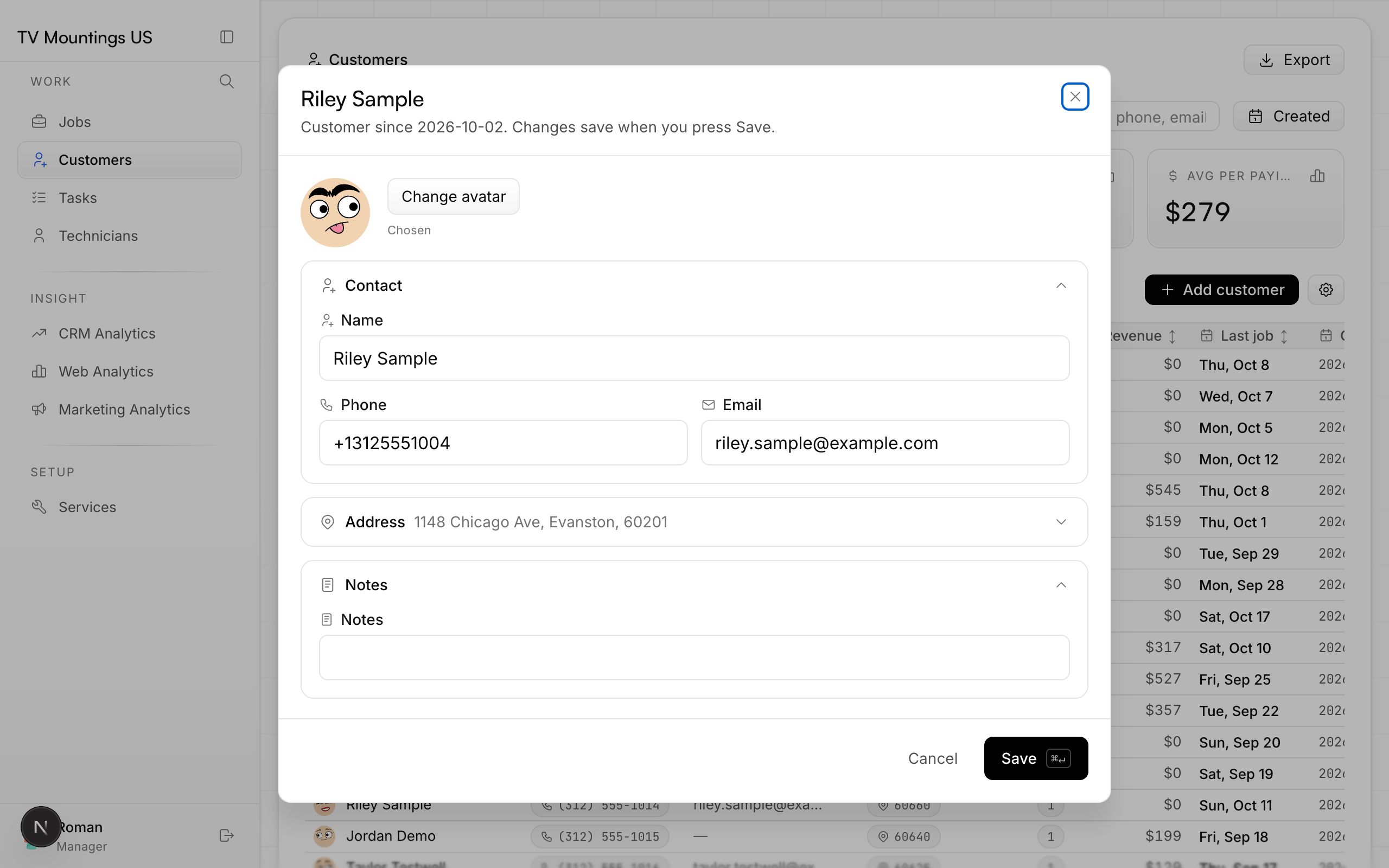
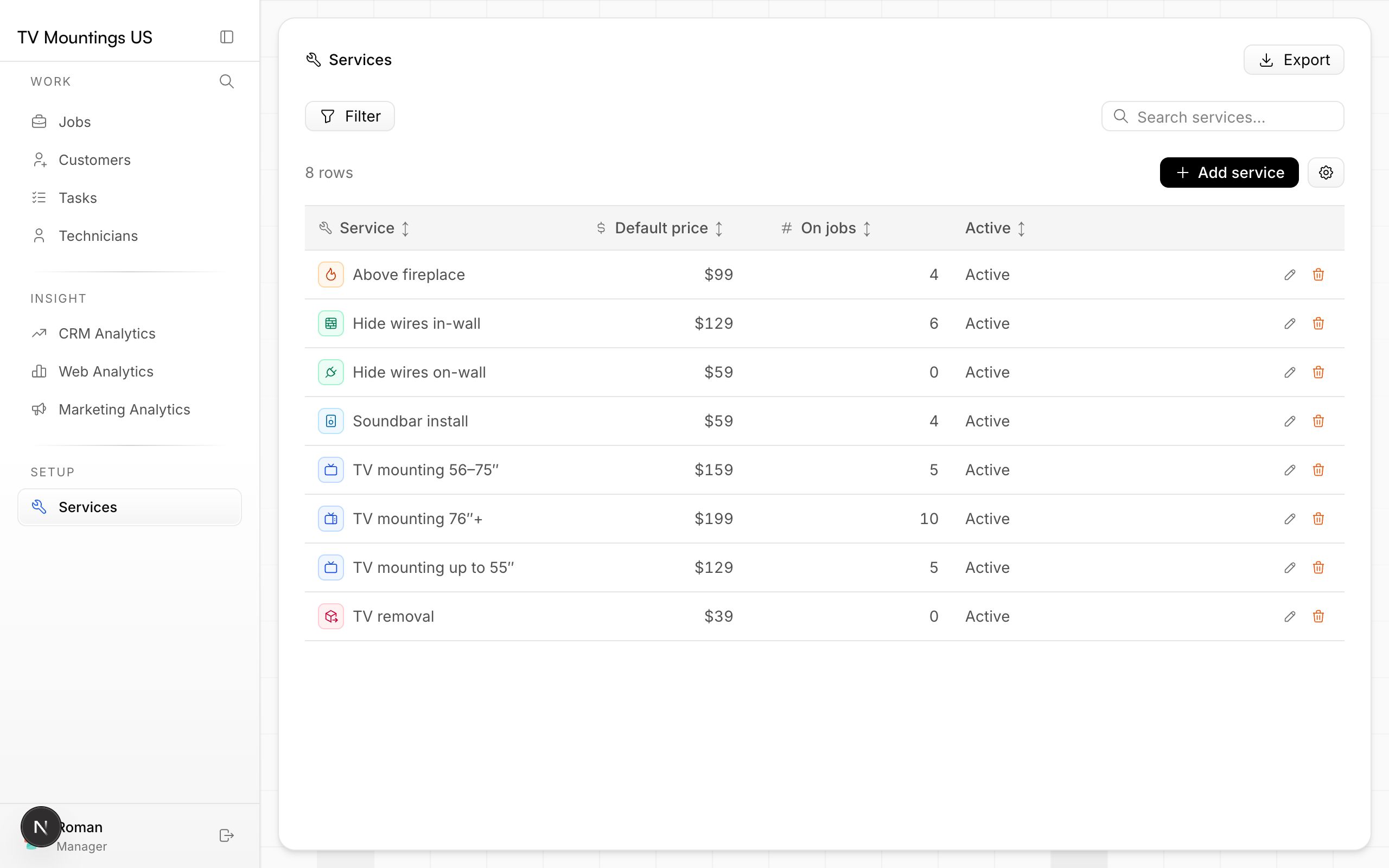
Screenshots of the CRM use sample customers, so no real customer data is shown.
Why it matters
Prices stay consistent from job to job, and repeat customers — your cheapest customers to win — are finally visible.