Two pages show how the business is doing: CRM Analytics for jobs and money, Web Analytics for visitors to the site — side by side in the CRM.
What we did
- CRM Analytics: jobs, bookings, revenue and average job for any period — by technician, by service, by status and by month.
- Web Analytics inside the CRM: how many people visit the site, from where, on which pages — next to the jobs they turned into. No separate login needed.
- Marketing Analytics: the place for ad spend and results once the Google Ads campaign starts.
INSIGHT
 ├─ CRM Analytics ──────── jobs · revenue · by technician / service / month
 ├─ Web Analytics ──────── visitors · sources · pages
 └─ Marketing Analytics ── ad spend and results (after the ads launch)
How it looks
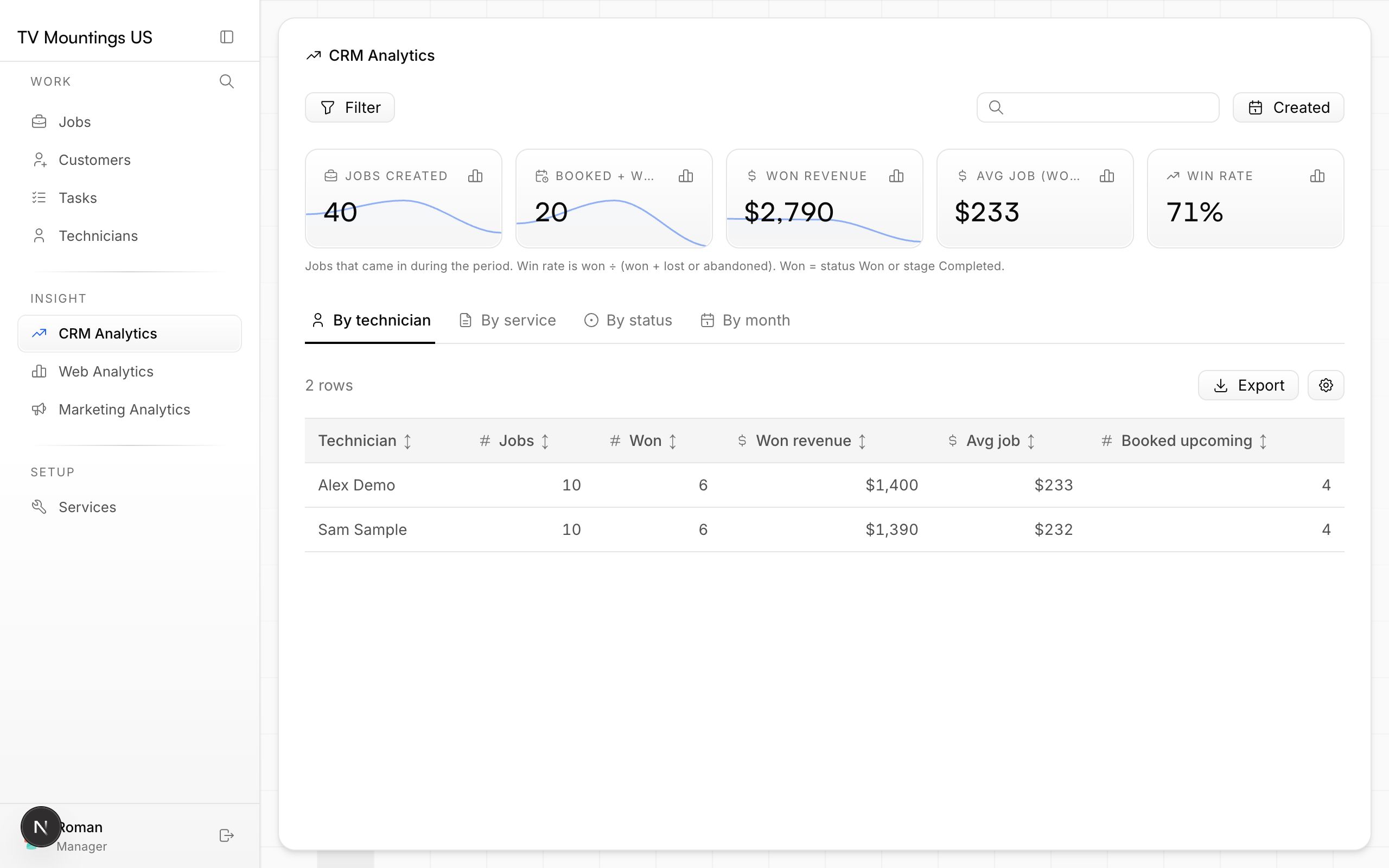
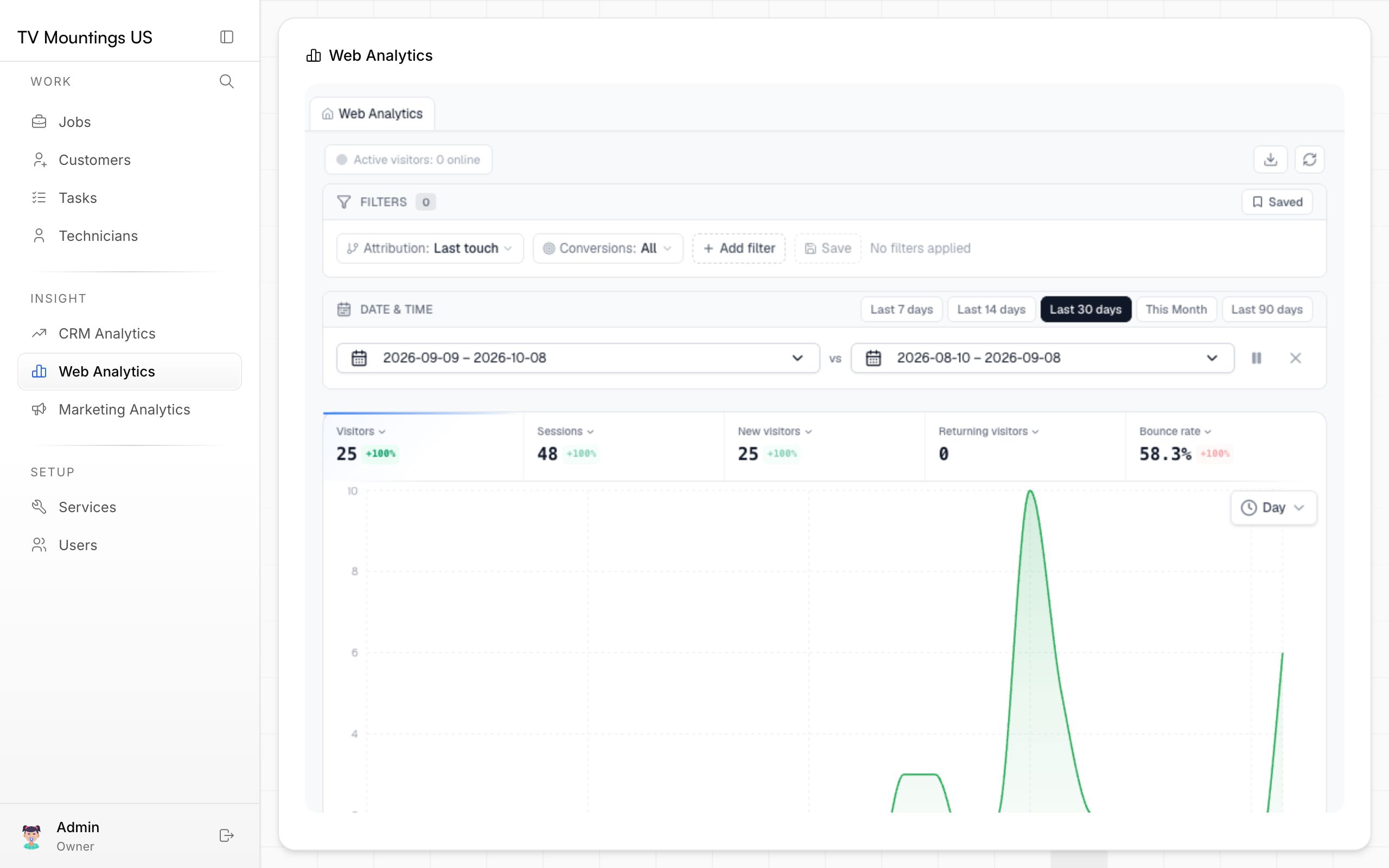
CRM Analytics uses sample data; Web Analytics shows your real site traffic.
Why it matters
You see in one place how many people came, how many asked for a quote and how much they paid.