Two campaigns were built through Google's API in one checked step — 612 changes — every account setting was verified (30 of 30), 39 of 42 launch items are done, and the main campaign is live.
What we did
Which account settings protect your budget?
- Auto-tagging on — every click carries Google's click id to the site and the CRM.
- Chicago time and dollars, billing approved.
- Google's automatic changes off — no recommendation is applied without us.
- Automatically created ad text off — Google cannot write lines you never approved.
- Google Search only — no partner sites, no display banners.
Who sees the ads, and when?
| Setting | Main campaign "27 ZIP" |
|---|---|
| Budget | $49 a day |
| Click limit | $10 |
| Area | your 27 ZIP codes |
| Who | people in the area only — not people elsewhere reading about Chicago |
| Hours | 8 am – 10 pm every day — the hours someone answers |
| Language | English |
What is waiting in reserve? A paused test campaign: $10 a day, a $5 click limit, two exact searches ("tv mounting", "tv mounted on a wall"). It is switched on only if the main campaign spends under half its budget in the first 7 days.
How was it built? Through Google's API, not by hand: 612 changes, checked by Google three times first, then created in one step and read back one by one against the plan.
Was everything verified?
- Settings audit: 30 of 30 settings read from the account — all pass.
- Launch checklist: 39 of 42 done. Open:
| Still open | Who |
|---|---|
| A test call of 30 s+ shows once in the CRM and in Google | Igor |
| The scrambled email and phone arrive with the first Google request | us — after the first request |
| Photos in the ads | when Google offers them, after ~60 days of spend |
Launched: the "27 ZIP" campaign is on; ads show from 8 am Chicago time.
plan in the CRM ─▶ 612 changes ─▶ Google checks (×3) ─▶ created ─▶ read back 1:1
                                                                     │
                     30/30 settings pass · 39/42 checklist ──────────▼
                                                               LIVE: 27 ZIP campaign
How it looks
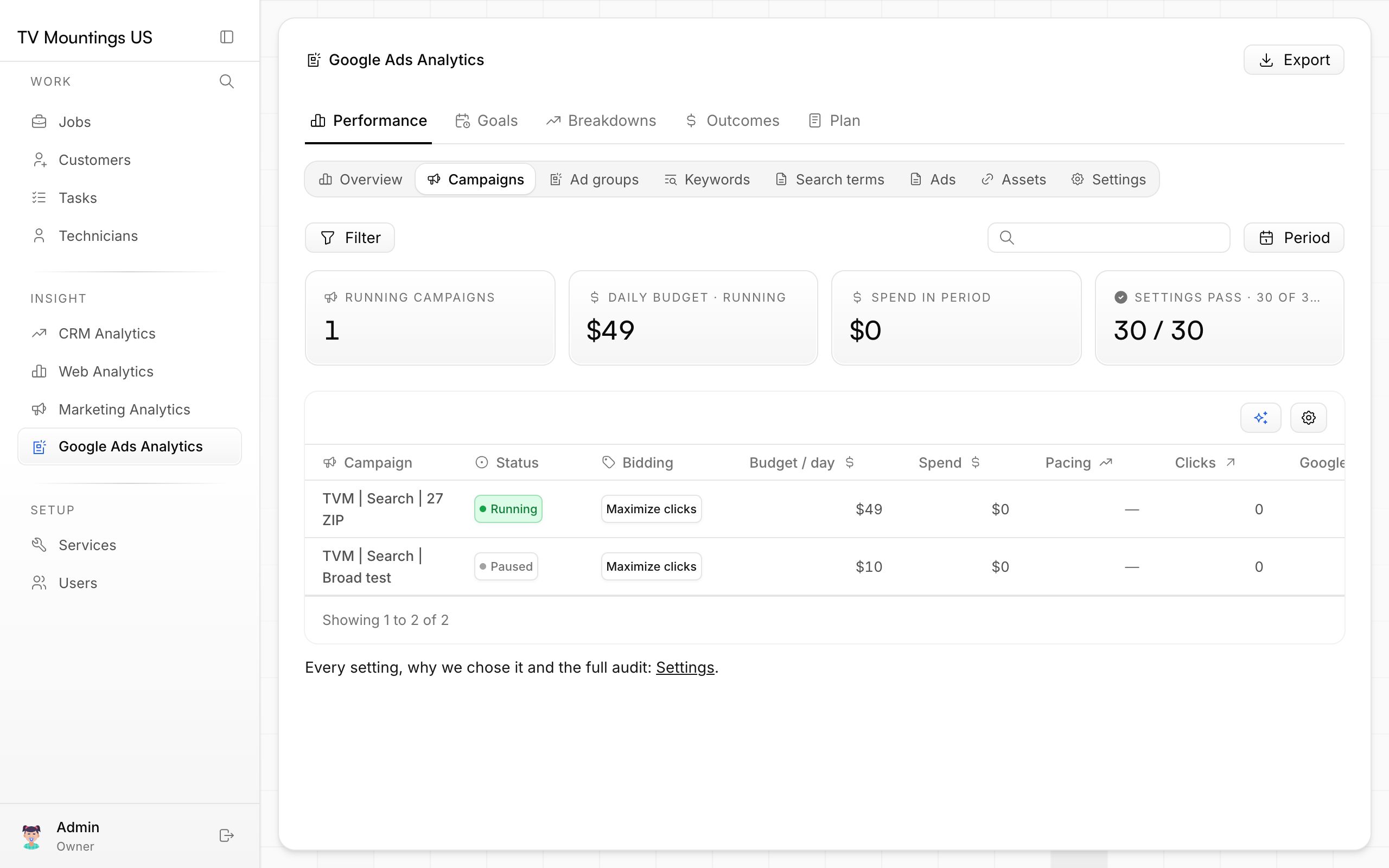
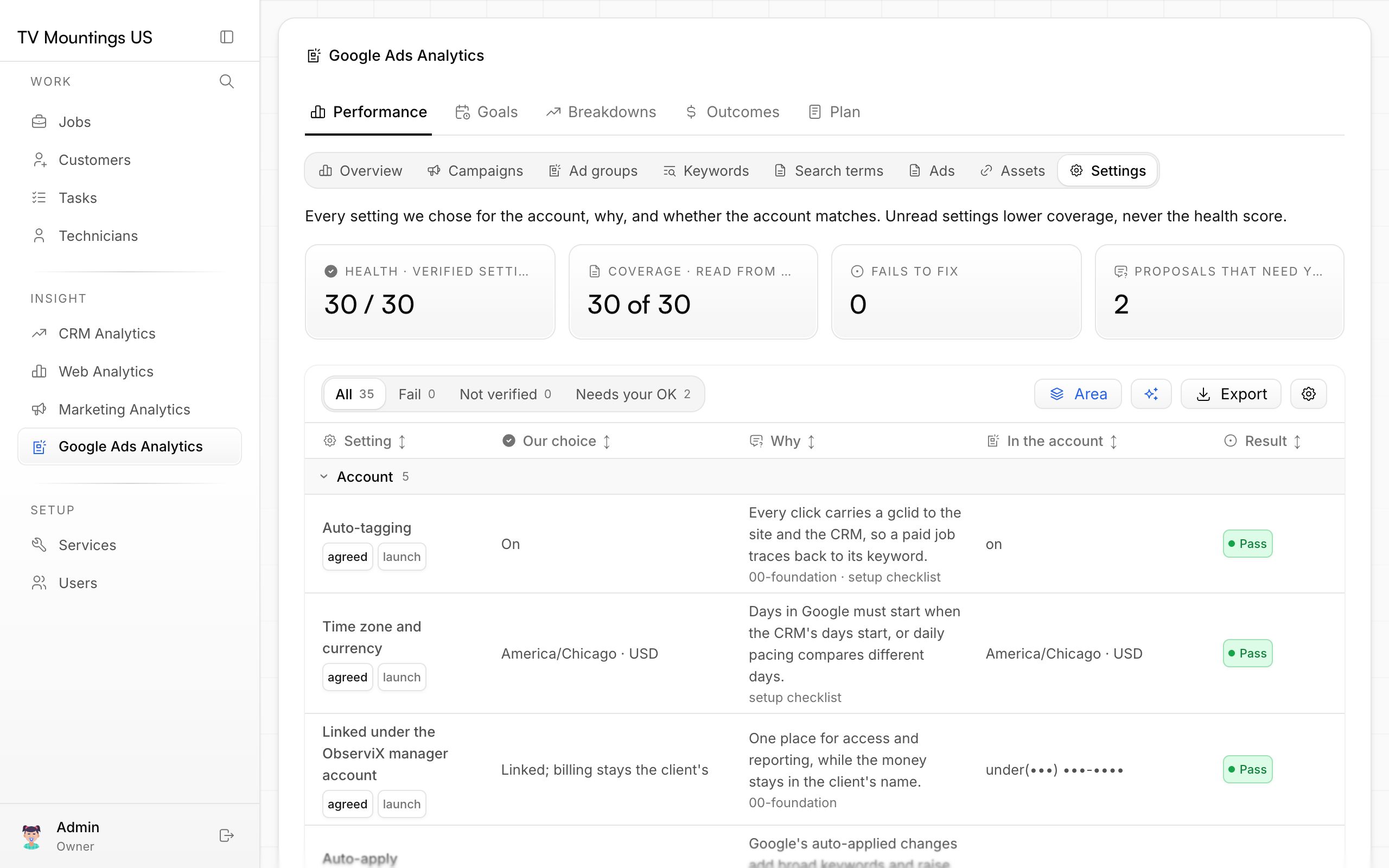
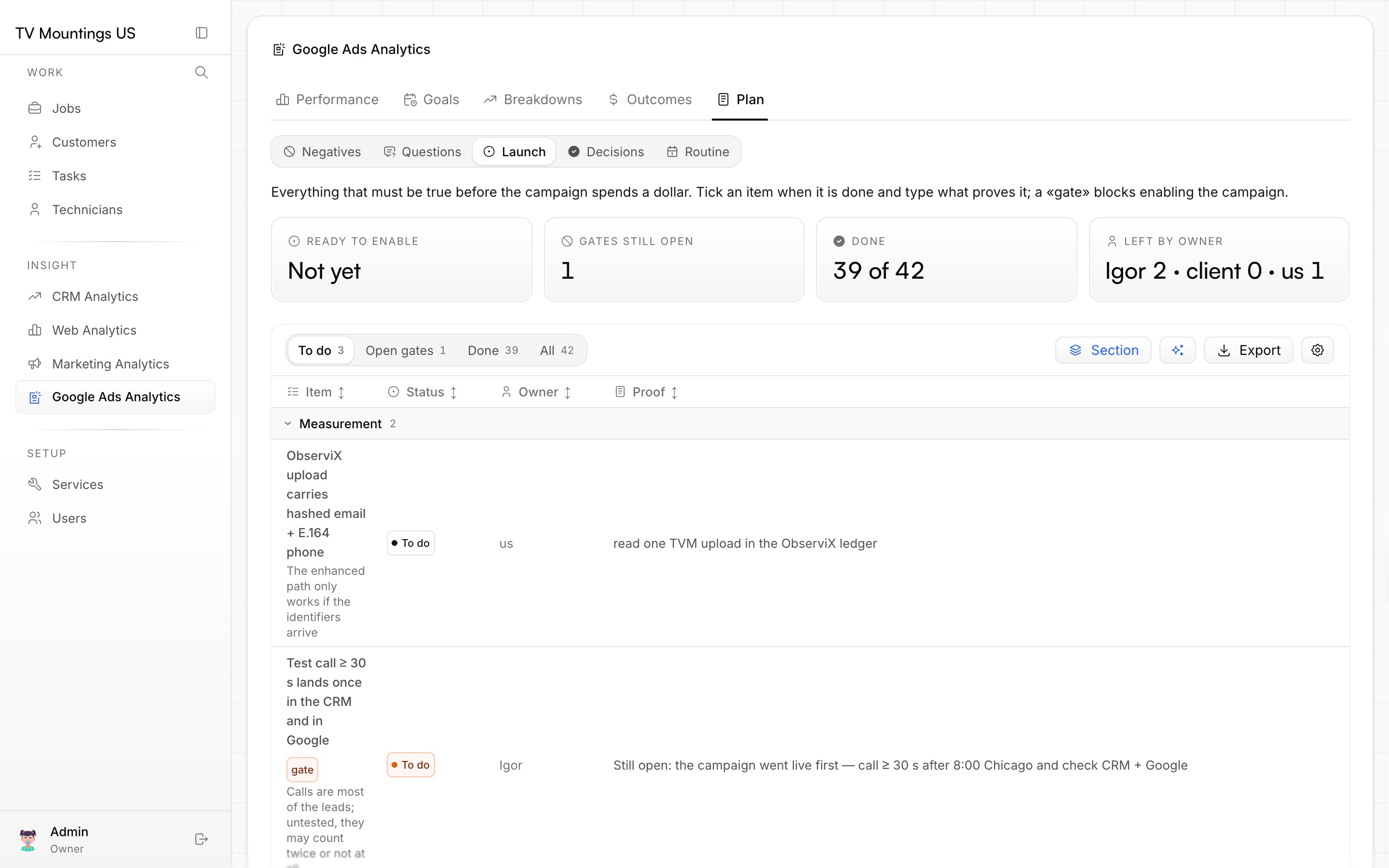
Screenshots are from the Google Ads section of your CRM, which reads the ad account directly.
Why it matters
Nothing was clicked together by hand: every setting is written down, checked by Google before going live and verified after.