A clear money plan: $1,500 a month, a target of $60 per request, an expected 11 to 23 requests a month, and a $10 limit per click so a click never costs more than it can earn.
What we did
What is one request worth to you? About $75: a $250 average job × about 60% left after costs × about half of requests becoming jobs. At about 12% of clicks sending a request, that makes a click worth about $9.
So what may a click cost? At most $10. Google never pays more for a click, so a click cannot cost much more than it can earn.
What is the monthly goal?
| Number | |
|---|---|
| Monthly budget | $1,500 (about $49 a day) |
| Target cost per request | $60 — reviewed if it goes above $72 |
| Expected requests a month | 11 · 17 · 23 (worst · likely · best) |
| Break-even cost per request | about $75 |
| Break-even cost per click | about $9 → limit $10 |
Is the month on track? The CRM shows spend and requests against the month every day, so we see early whether the month is on pace.
How will bidding change as requests come in?
| Requests a month | How Google bids |
|---|---|
| under 15 (now) | as many clicks as possible, never above $10 |
| 15 or more | for the value of paid jobs, $10 limit kept 2 more weeks |
We do not set a fixed "cost per request" target: at 5 to 20 requests a month Google never gets enough data to hit one.
Did anyone try to break the plan before launch? Yes. We reviewed it from five sides — your wallet, a customer searching, a competitor, Google's rules, the numbers. The verdict: launch with the $10 limit, and for the first 2 weeks judge one thing only — how many clicks become requests.
$1,500 a month ÷ ~$10 a click ──▶ about 150 clicks
150 clicks × ~11 % send a request ──▶ about 17 requests  (target $60 each)
How it looks
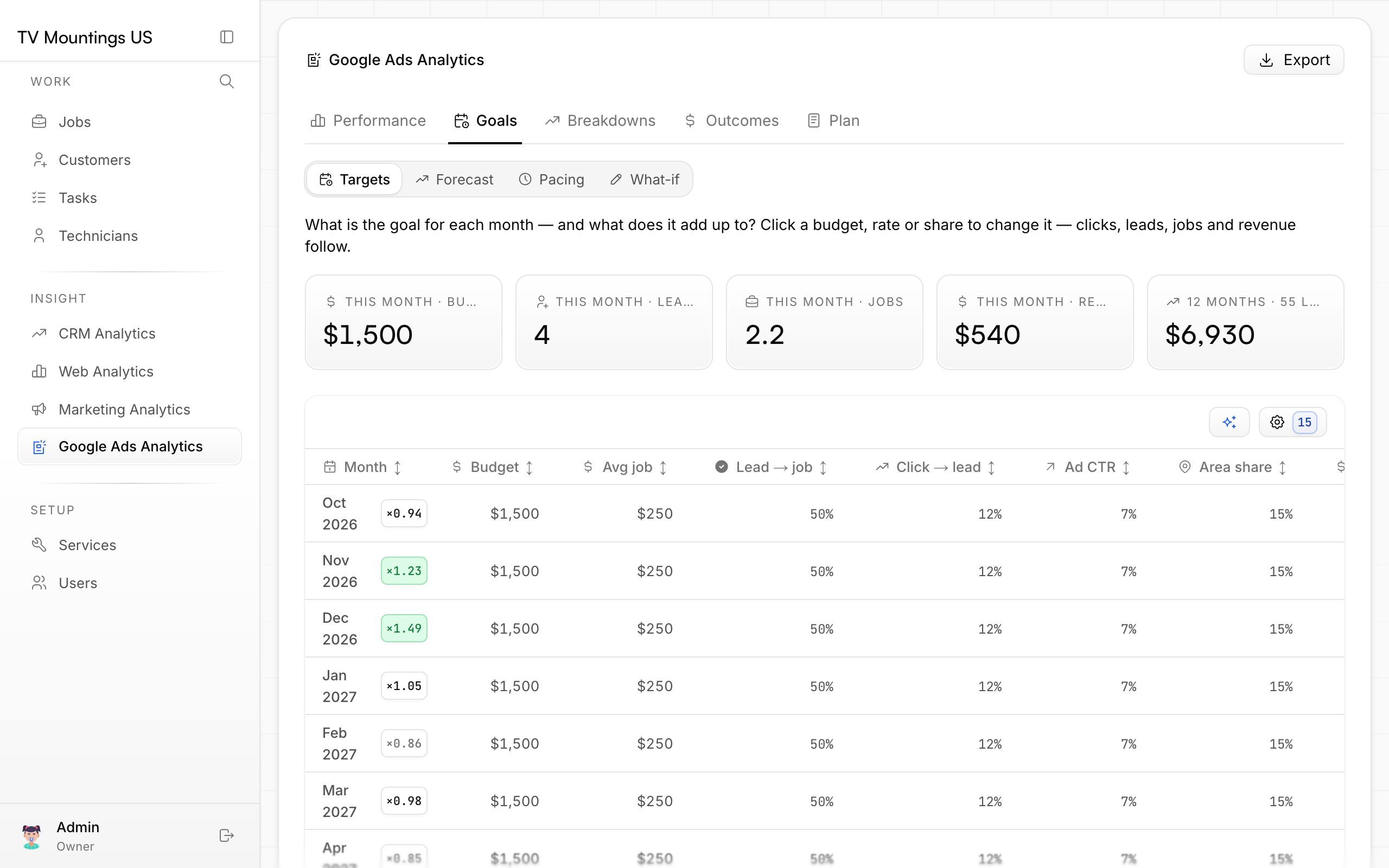
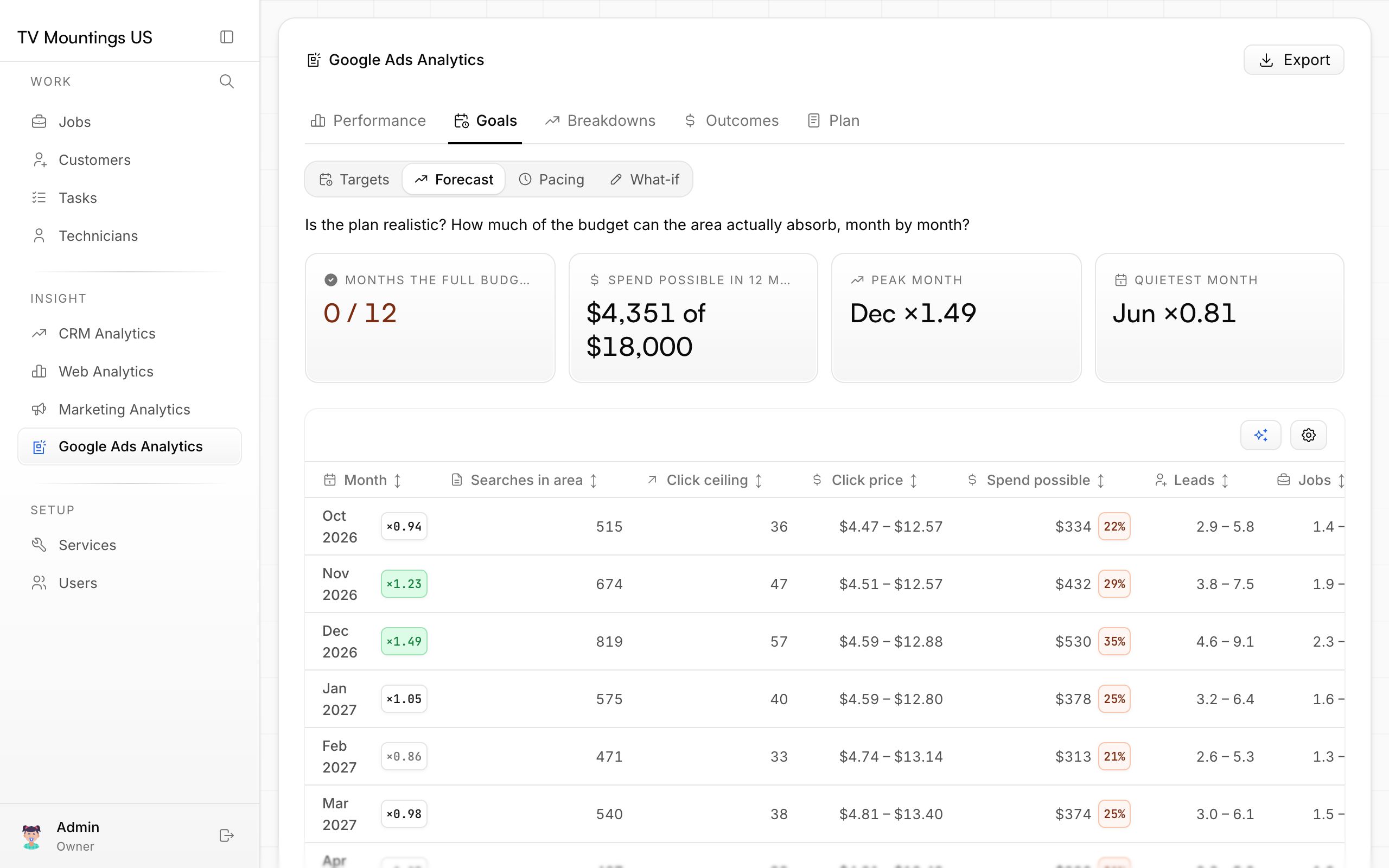
Screenshots are from the Google Ads section of your CRM, which reads the ad account directly.
Why it matters
Spending has a limit tied to what a job earns you — the account cannot quietly overpay for clicks. Your real average job and close rate (see "how we started") will make these numbers exact.